We want everyone to be able to access the information on our website.
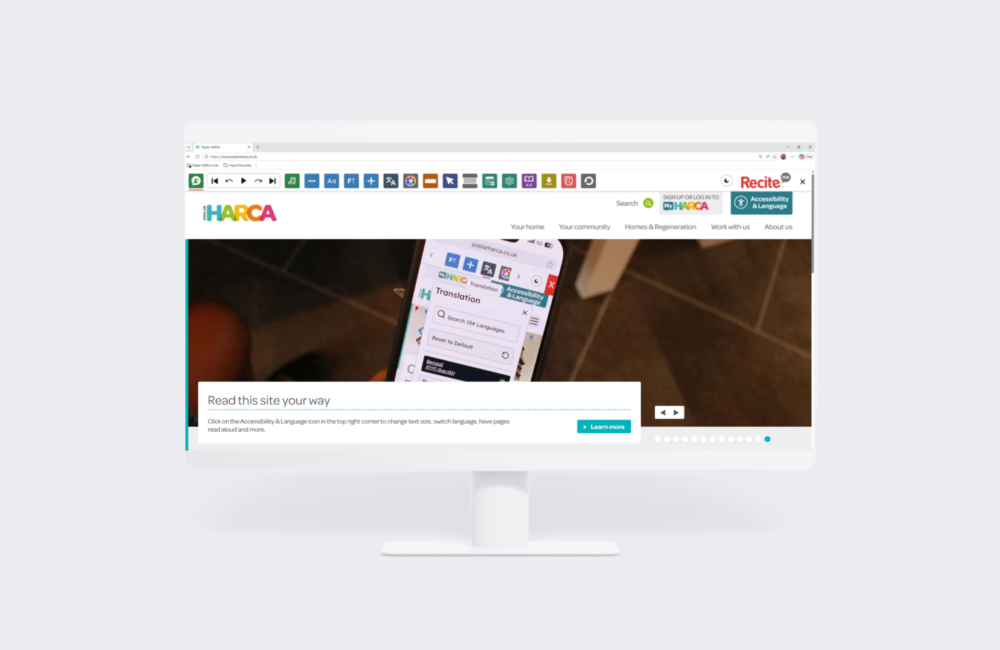
That’s why we’ve added ReciteMe, an accessibility tool that removes barriers you may face when using this site. You’ll find it at the top right-hand corner of the page, in a button marked ‘Accessibility & Language’.
How we can help
The ReciteMe toolbar can help you:
read the site in a different language
have the page read aloud
change the contrast, font, colour or spacing of text
make the text bigger or smaller
get around the site using just your keyboard
Watch this video to learn more about the ReciteMe toolbar and its features.
Click “Accessibility & Laguage” at the top right corner of the page. The toolbar will open at the top of the screen.
Does the ReciteMe toolbar work on my phone or tablet?
Yes. It works across Android, iOS, Mac, Windows and Linux devices.
How do I use the ReciteMe toolbar?
Click the information icon once the toolbar’s open, and you’ll get guidance on every feature.
How do I change the language?
Select the translation icon in the toolbar, then choose from the list. The site will switch to that language.
How do I turn the ReciteMe toolbar off?
Click the “X” icon on the toolbar to close it.
Can I change the font?
Yes. Select the “Aa” icon in the toolbar and pick the font that works best for you.
Can I make the text bigger or smaller?
Yes. Use icon with the the minus symbol (-) to shrink the text or the icon with the plus symbol (+) to make it bigger.
Tell us what you think
If anything on this site is stopping you from getting the information you need, we want to know. Send us an email at info@poplarharca.co.uk and tell us what’s not working – it helps us make our website more accessible for you and for others.
This website meets the Web Content Accessibility Guidelines (WCAG) to AA level, the internationally recognised benchmark for accessible websites.
We use cookies to optimise site functionality and give you the best possible experience.
This site uses cookies. Some of these cookies are essential, while others help us to improve your experience by providing insights into how the site is being used.
These cookies and scripts are necessary for the website to function and cannot be switched off. They are usually only set in response to actions made by you which amount to a request for services, such as setting your privacy preferences, logging in or filling in forms. You can set your browser to block or alert you about these cookies, but some parts of the site will not then work. These cookies do not store any personally identifiable information.
Analytics
These cookies and scripts allow us to count visits and traffic sources, so we can measure and improve the performance of our site. They help us know which pages are the most and least popular and see how visitors move around the site. All information these cookies collect is aggregated and therefore anonymous. If you do not allow these cookies and scripts, we will not know when you have visited our site.